Luna Moon Shot Planner
Stand in the right place when the moon rises behind it
Luna Moon Shot Planner is an iPhone app for photographers. Pick a tower, a church spire or a summit, and Luna shows you where to stand in the coming nights so the moon passes right behind it – checking the hills in between and the clouds.
Download on the App Store · iPhone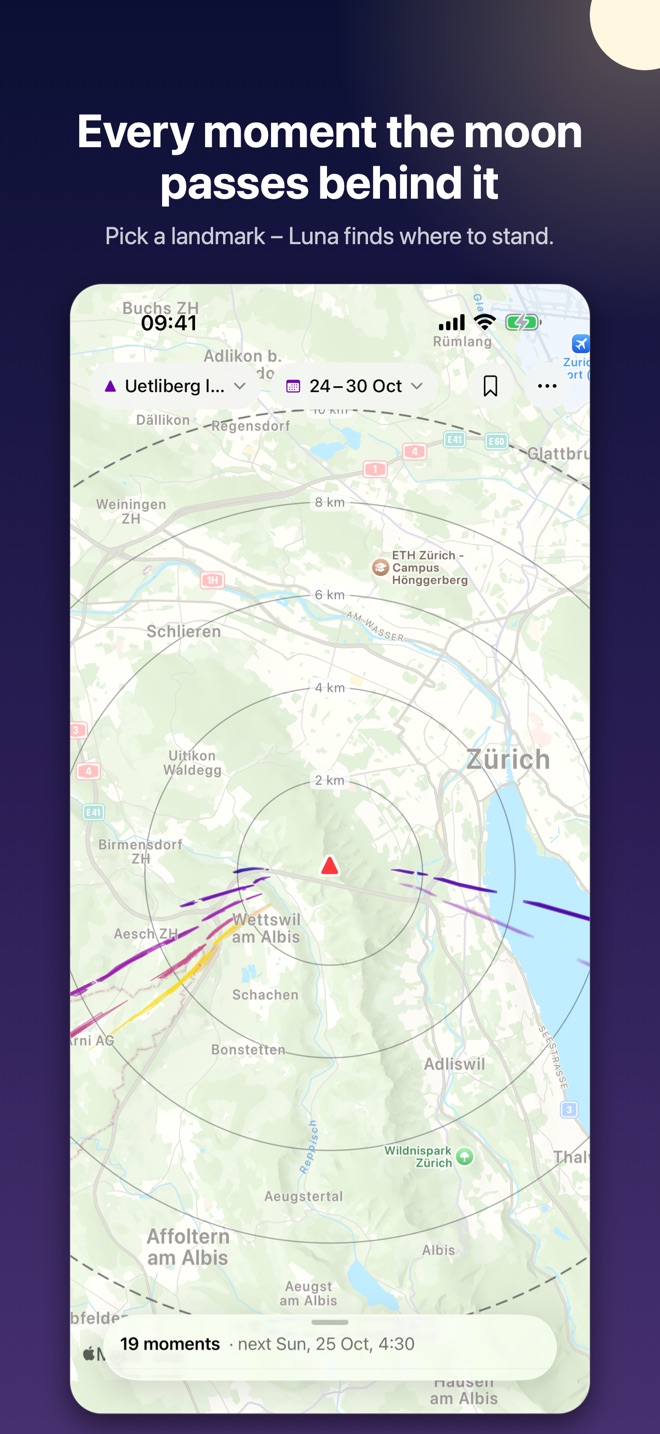
Luna answers the other question
Most photo planners start from where you'll stand and search the calendar for when it will work. Luna starts from when you're free and searches the map for where to stand.
“When will the moon line up from here?”
- Choose a shooting position and the object to photograph.
- The app searches the calendar for dates when the moon sits right above or behind the object from that position.
- The answer is often months or years away – and whether it will be clear that night, nobody can tell yet.
“Where do I stand to line it up this week?”
- Choose the object and the nights you have – tonight, this week, around the next full moon.
- Luna searches the whole area around it and shows, for every moment in those nights, the places from which the moon passes behind it.
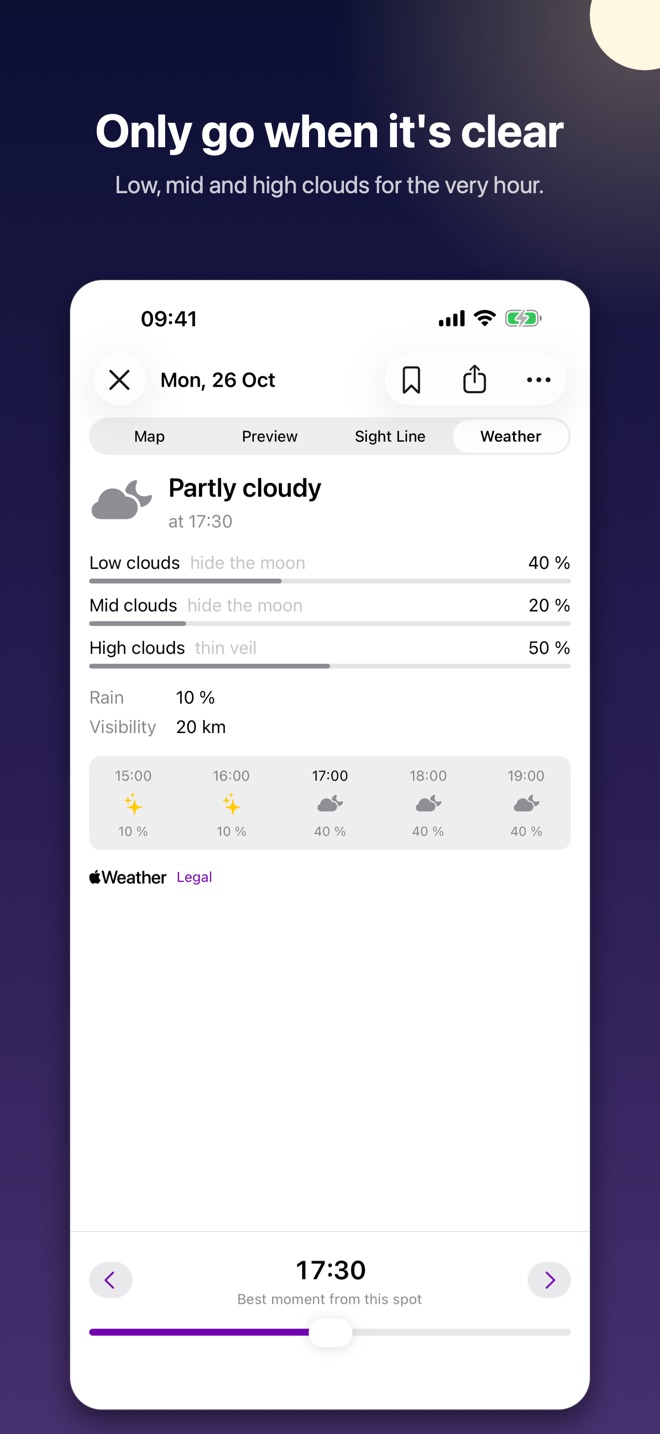
- It checks whether hills in between would hide the view, and the cloud forecast for that hour – so you only go when it will work.
Planners such as PhotoPills are excellent at the first question. Luna is made for the second: nearby dates, any of many possible spots, and the weather that decides whether you'll see the moon at all. (PhotoPills is a trademark of its owners; Luna is not affiliated with it.)
From the sofa to the shot
Everything you need, from finding the moment to aiming the lens in the dark.
Pick a target and the nights
A tower, a building, a summit – search for it, tap it on the map or paste its coordinates, and give its height. Then choose the nights you're free.
See where to stand
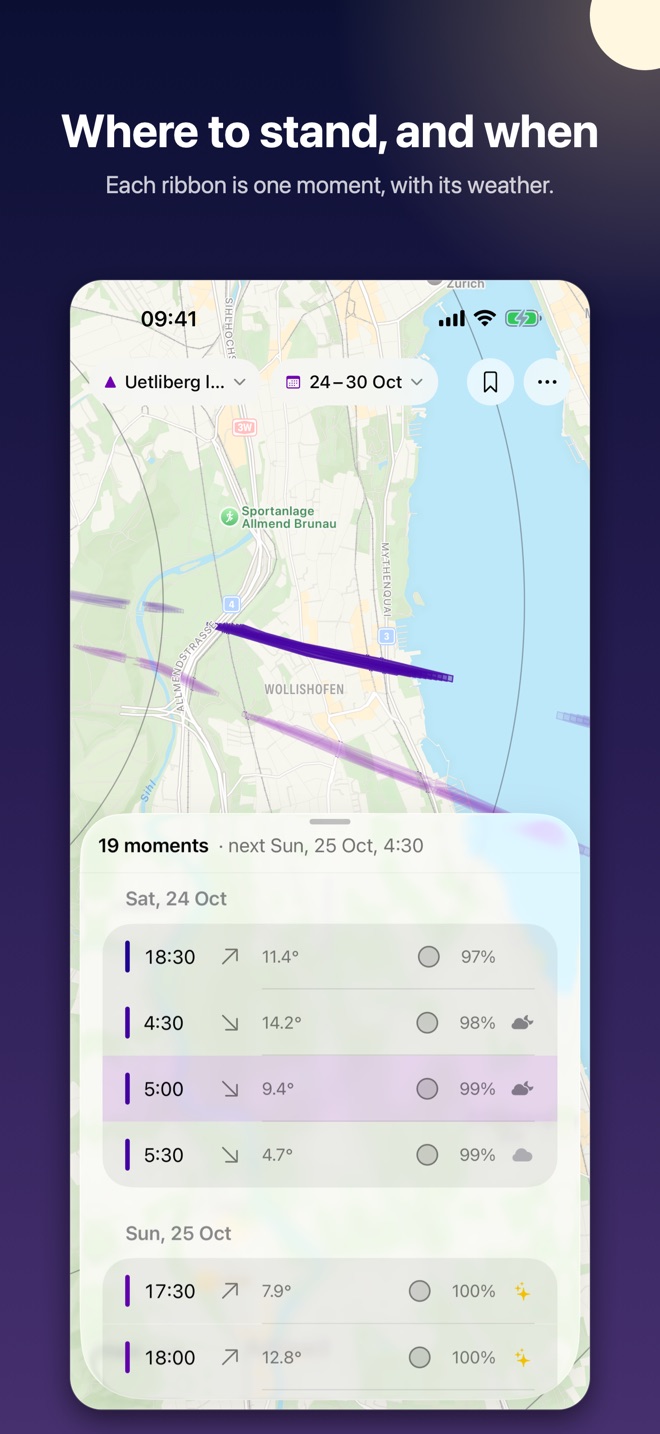
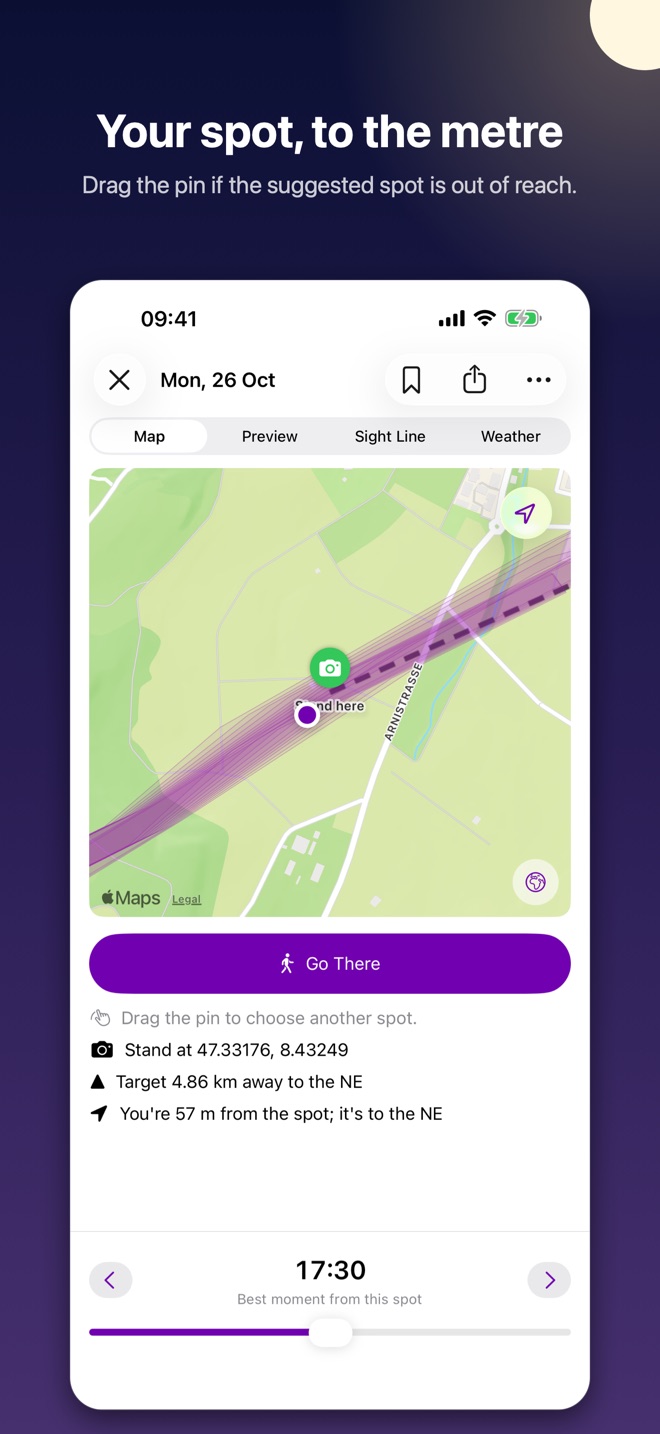
Each moment the moon passes behind the target becomes a ribbon on the map: stand anywhere inside it. Ribbons break where terrain in between would hide the target, and fade when clouds are forecast.
Preview the shot
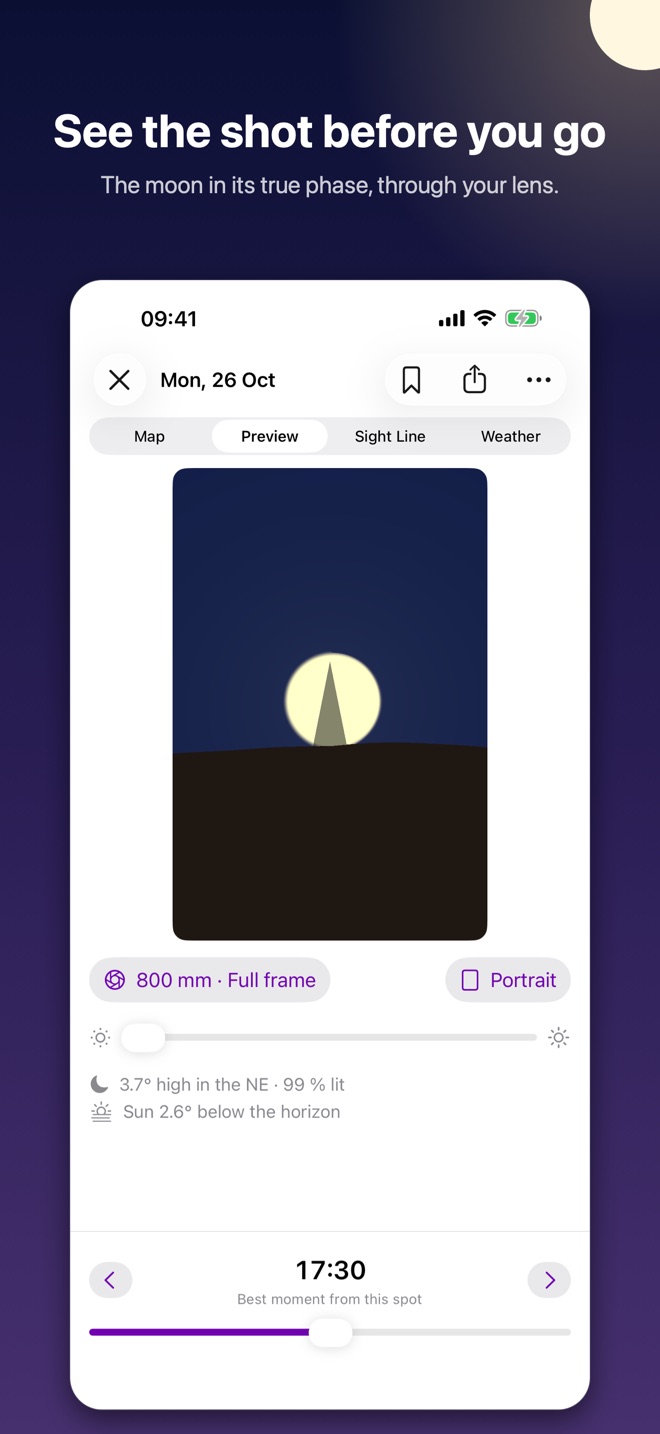
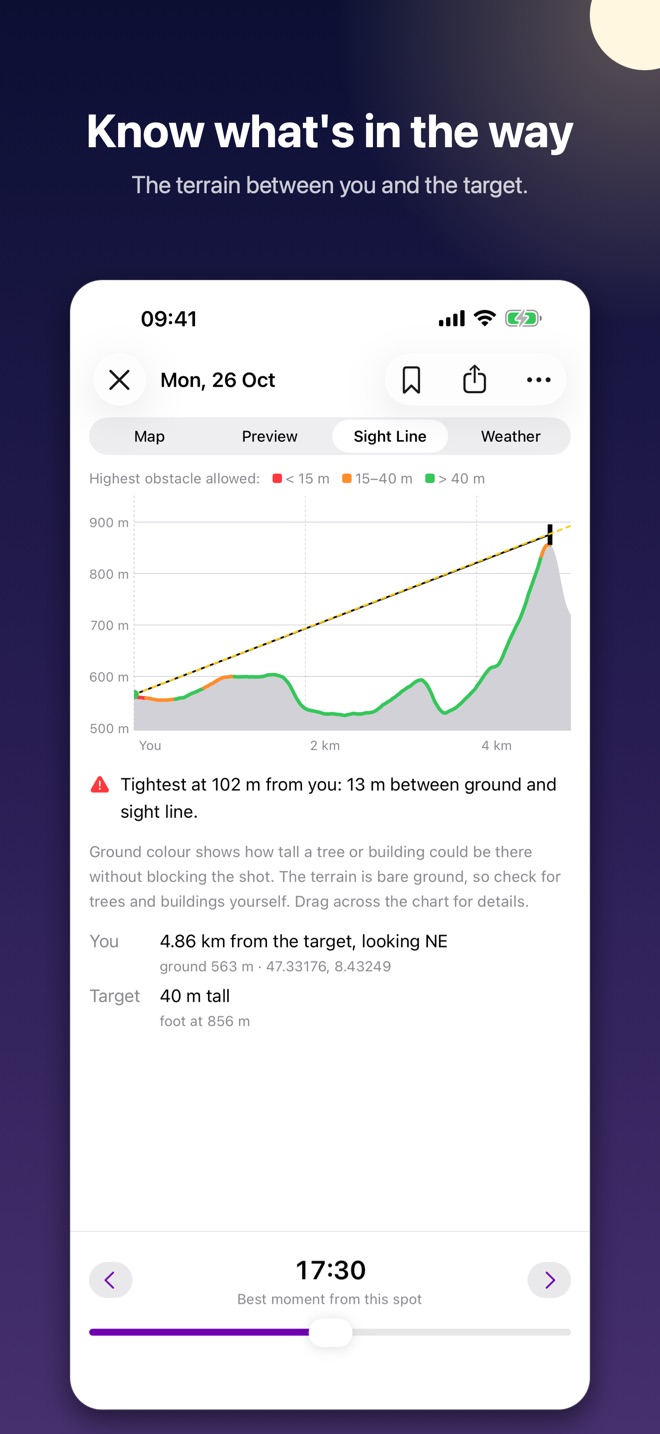
See the scene through your lens, minute by minute: the moon in its true phase behind the target. Check the terrain along the line of sight, the clouds at each height, and drag the spot if the suggested one isn't accessible.
Get there and line up
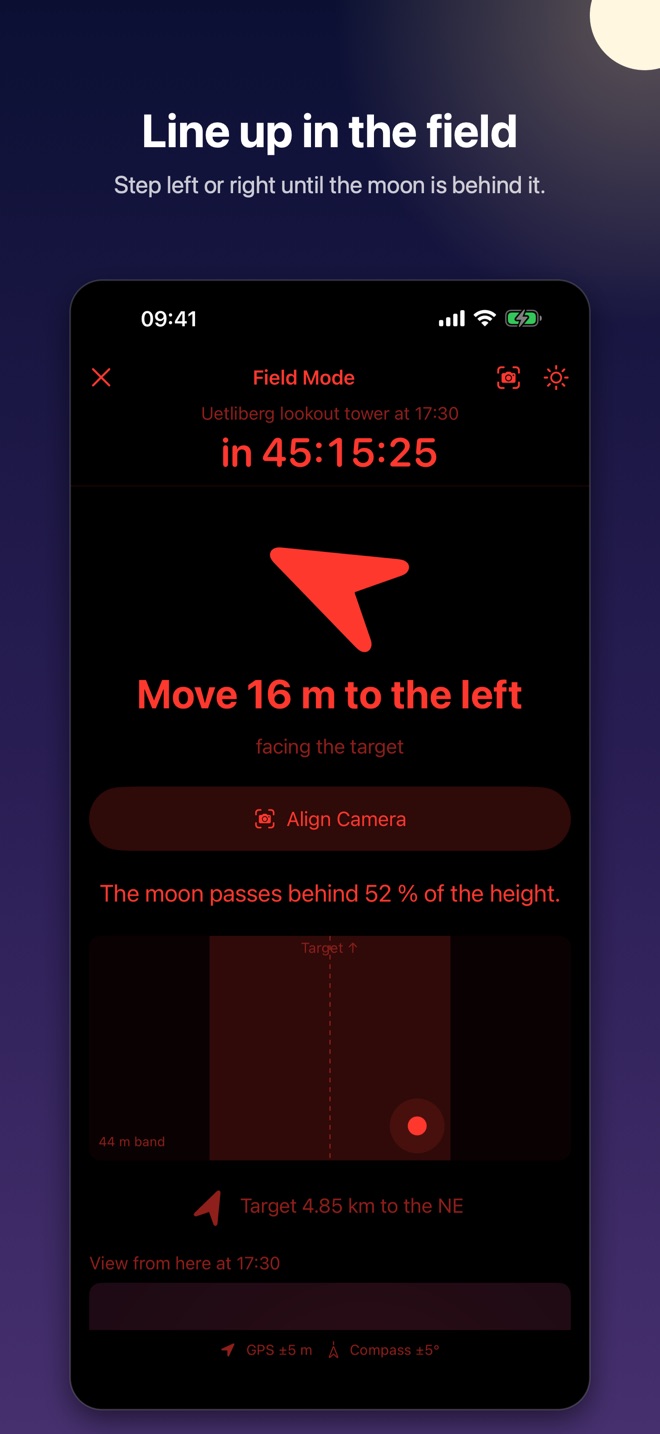
Field mode guides you to the spot and tells you when to leave. Close by, it tells you how many metres to move left or right to put the moon right behind the target – in red light that keeps your eyes adapted to the dark.
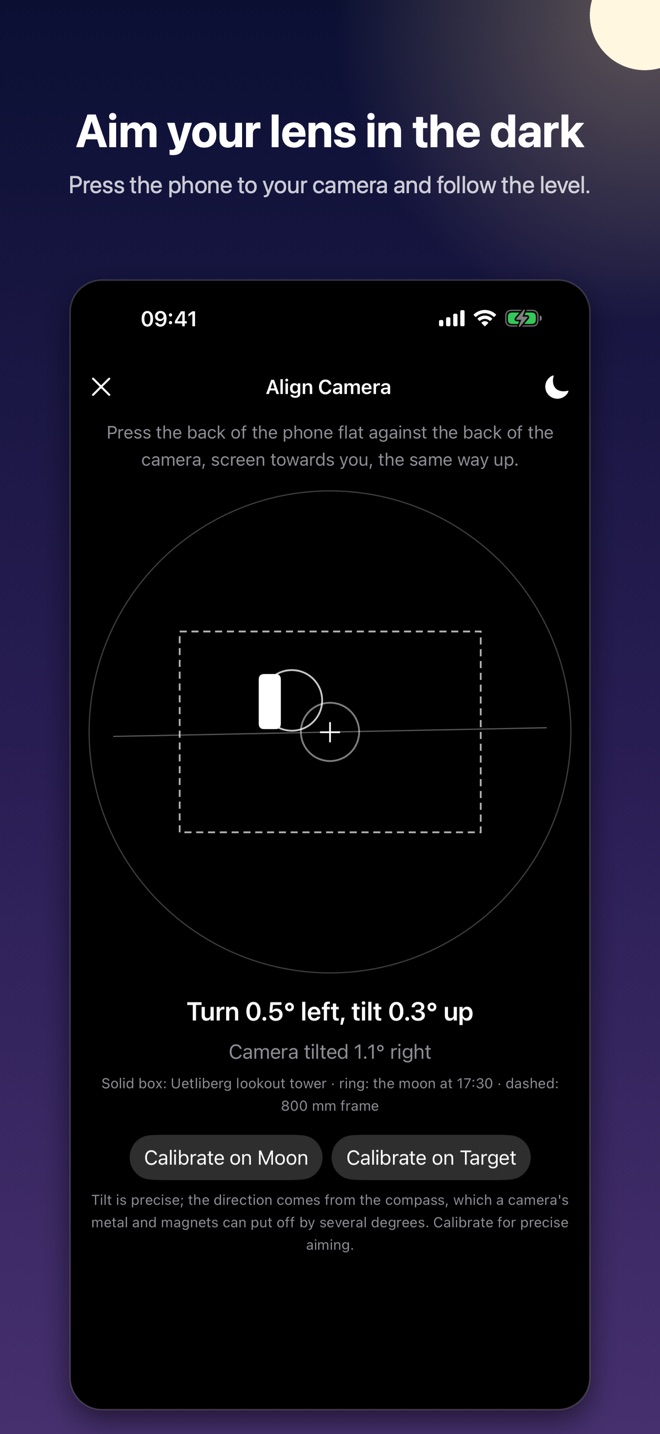
Aim the lens
Press the phone against the back of your camera: a level shows where the lens points relative to the target and where the moon will be. Calibrate on the moon for precise aiming.
Built for one shot, done properly
Real astronomy
Moon and sun positions from the full lunar theory in Jean Meeus' Astronomical Algorithms, seen from where you stand, with atmospheric refraction – it matters just above the horizon.
Real terrain
Elevation data around the target decides where the moon's line meets the ground and whether a ridge blocks the view. Kept on your phone after the first download.
Weather that matters
Low, mid and high clouds and the chance of rain for the hour, from Apple Weather. Optionally hide moments forecast to be clouded out.
To the metre
At a few kilometres the ribbon is only some 25 metres wide. Luna tells you exactly where it runs and how far off you are.
Remember shots
Keep the shots you plan, with the spot, the minute and the lens, and come back to them on the day.
Private
No account, no ads, no tracking. Your targets, shots and location stay on your phone.